

Google Ads can spend more than the amount you enter as an average daily budget on an individual day. For most campaigns using that budget type, the daily spending limit is twice the average daily budget. The usual monthly limit is 30.4 times that budget, subject to rules for changes and partial months. Google's average daily budget guidance
If one day's cost exceeds the average, check the campaign's budget type, date and edit history before concluding that the charge is wrong.
This guide explains those checks. The examples are illustrative, in US dollars, and do not recommend a spending level for your business.
First identify which budget you are looking at
Write down the campaign name and budget type. An average daily budget is different from a campaign total budget, a software subscription or an account payment.
If you compare your account's total cost with one campaign's budget, the figures cover different scopes. Collect the campaign-level information first. If several campaigns share a budget, identify that shared arrangement before treating each row as a separate allowance.
Also check that the date range matches the question. A daily total, a month-to-date total and an invoice amount cannot be compared as though they describe the same period.
Useful fields to collect are:
| Field | What to record |
|---|---|
| Campaign | Exact name and account |
| Budget type | Average daily, campaign total or shared arrangement |
| Budget | Current amount and currency |
| Date | The day or period being investigated |
| Changes | Amounts and dates of edits |
| Cost measure | Campaign cost, billed cost or payment |
Check missing fields in the account before calculating the expected limit.
A simple unchanged-budget example
Assume one campaign uses an average daily budget of $12 throughout a full calendar month, with the usual rules applying and no edits.
| Item | Calculation | Amount |
|---|---|---|
| Average daily budget | Entered amount | $12 |
| Usual daily spending limit | $12 × 2 | $24 |
| Usual monthly spending limit | $12 × 30.4 | $364.80 |
The limits describe what can be charged under those assumptions. They do not promise that the campaign will spend the maximum or produce a particular number of sales.
In the review note, record both $12 as the average and $24 as the usual daily limit. Make sure the person approving the budget has seen both figures.
If your intended monthly allocation is $456 under the same conditions, the corresponding average is $456 ÷ 30.4 = $15. Check the campaign's actual rules before using that arithmetic in an account.
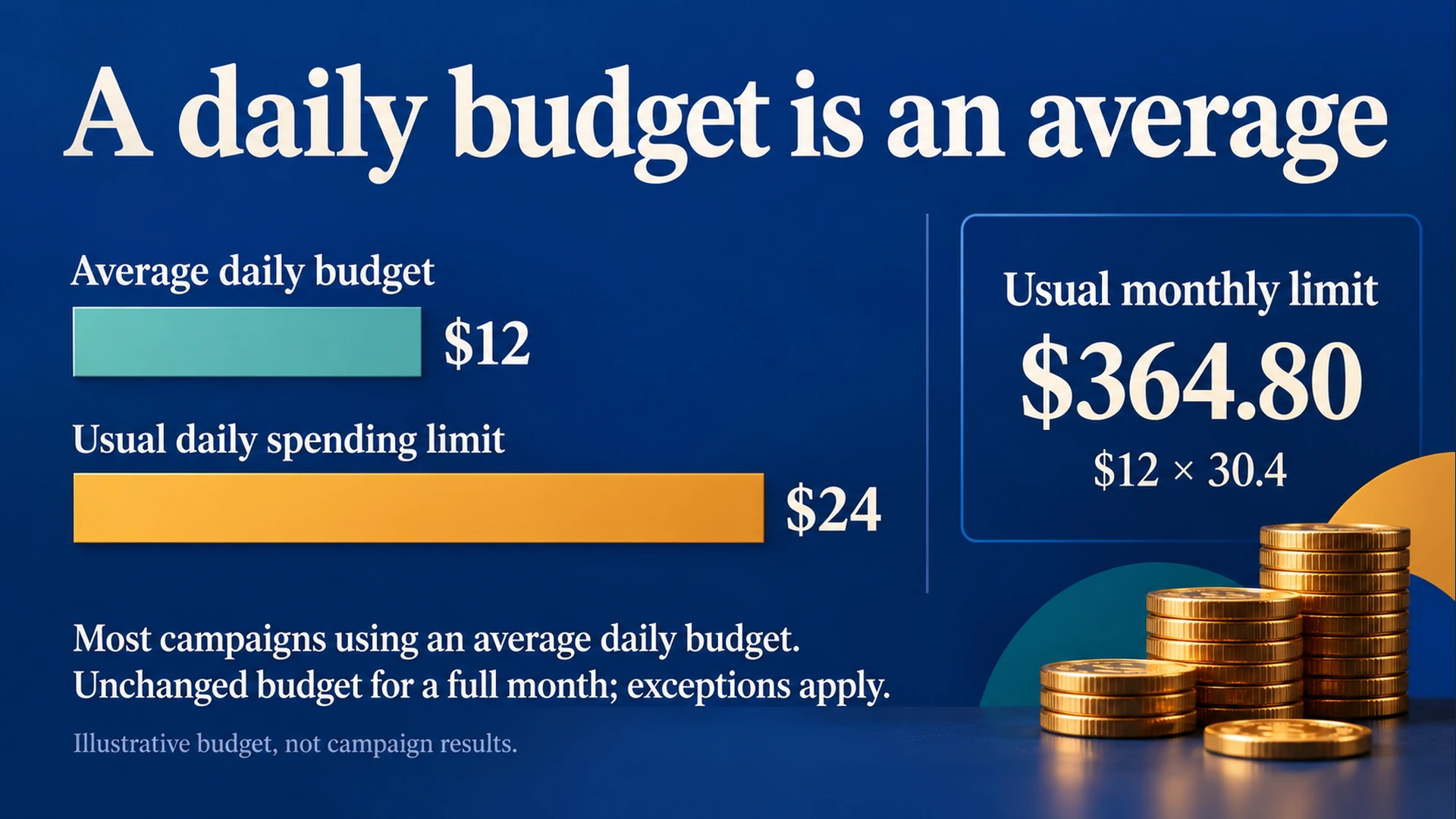
Illustrative US-dollar example: $12 × 2 = $24 daily and $12 × 30.4 = $364.80 monthly under the usual unchanged-budget rules. Daily and monthly amounts use separate displays.
Budget edits change the calculation
The current budget does not explain every earlier day. On a day with budget edits, Google says the usual daily spending limit uses the highest average daily budget chosen that day. Its monthly calculation after a change considers the amount already spent and the new budget for the remaining calendar days. How budget changes take effect
Here is a fictional example. A campaign has spent $180, and six calendar days remain, including the day of the edit. You change its average daily budget to $14. Under the documented change rule, the revised monthly ceiling is:
$180 already spent + ($14 × 6 remaining days) = $264.
The earlier $180 and six remaining days matter here. The unchanged-budget shortcut of $14 × 30.4 does not describe this example.
If you raise the budget to $35 and later lower it to $10 on the same day, the usual daily limit for that edit day can still be $70. Lowering the visible setting does not retrospectively replace the day's highest budget.
Before editing a budget to investigate a charge, preserve the existing history. An additional edit changes the state you are trying to understand. Record what was present, then decide whether a change is justified.
Check the exceptions
The phrase “most campaigns” matters. Google documents no daily spending limit for campaigns using pay for conversions, while retaining the monthly spending limit. It also explains that ad scheduling does not simply turn the monthly limit into the daily budget multiplied by your scheduled operating days. Google's spending-limit guidance
Campaign total budgets use a different arrangement: a budget for a defined campaign period. Do not apply the average-daily-budget formulas to them. Check the current campaign eligibility and rules in Google's campaign total budget documentation.
For an account with mixed campaign types, annotate the budget type beside each campaign rather than creating one universal daily-limit chart. The chart needs to reflect the settings actually used.
Compare like-for-like cost figures
Google distinguishes the cost of ads served from billed cost and describes adjustments when served costs exceed applicable limits. Use the appropriate billing information when investigating what you were charged. About spending limits
Keep payments to Google, campaign costs and software subscriptions in separate bookkeeping rows. A payment date does not establish the cost of one campaign on that day.
If the numbers still appear inconsistent, collect the campaign, date range, budget history and relevant billing entries before contacting support. Those details allow a specific investigation. “It spent too much” without the underlying settings cannot identify the discrepancy.
Do not assume an apparent mismatch means the budget rules explain it. Use the rules to calculate the expected limit, then compare that result with the actual figures.
Use the budget report where available
Google's budget report documentation describes projected monthly costs and the effect of past budget changes. It currently notes that Performance Max campaigns are not compatible with that report.
For a supported campaign, inspect its budget and follow the available “View budget report” link. Read the projection alongside past edits. A forecast is useful for planning, but it is not the final invoice or a guarantee of the eventual total.
If the report is unavailable for your campaign, use its cost information, settings and change history rather than assuming that the missing report proves a problem. Check Google's documentation for the specific campaign type.
Review the budget before enabling a campaign
Before you enable a new campaign, confirm the amount, currency, budget type and campaigns it covers. Calculate the relevant limits and review existing campaigns that can also spend from the same account.
If you are reviewing a campaign prepared with AdPilot, include that calculation in the campaign review. A complete campaign draft still needs a budget decision based on the amount you are willing to authorize.
Use the Google Ads audit checklist for the wider review. This article deals with spending limits; it does not establish that a campaign's targeting, conversion measurement or commercial results are acceptable.
Copy this budget-review note
Campaign or shared budget:
Budget type and currency:
Average daily or total amount:
Applicable daily and monthly or period limit:
Assumptions used in the calculation:
Budget edits and dates:
Other campaigns able to spend:
Cost and billing figures compared:
Relevant official documentation checked on:
Unresolved discrepancy:
Decision and person authorizing any change:
Compare the day's cost with the limit that applies to that campaign and date. Investigate any unresolved discrepancy before authorizing more spending.