The status text and the delivery metrics may look inconsistent. The campaign is labeled Eligible. Beneath that, in smaller type, Google says “Your ads are showing.” Yet the figures on that same screen still show 0 impressions, 0 clicks, and $0.00 spend.
Eligibility is what the status reports; delivery is what the numbers report. Look at both before deciding the campaign is live.
What “Eligible” actually means
According to Google's own definition, Eligible is the status assigned to ads that have been reviewed and are able to run, which means they comply with Google Ads policies. That is the entire meaning of the term. It reflects the result of a policy review. In other words, your ad is allowed into the auction.
The campaign row uses the same word with an even shorter definition. On Google's campaign status page, Eligible means “the campaign is active and can show ads”. Can, not does.
It does not say anything at all about whether an auction took place, whether you had enough budget to join it, or whether anyone searched for the thing you are bidding on. Those are separate issues handled by separate systems, and none of them change the word shown on the screen.
What happens every time your ad is eligible to show
It enters an auction. Google runs one every time someone searches on Google or visits a site that shows ads, and a separate one for each ad location on the page. Being Eligible gets your ad into that auction. Whether it shows depends on what happens next.
In each auction, Google calculates your Ad Rank twice: first to decide whether your ad can show at all, then to place it against the other eligible ads. Six things go into it: your bid, the quality of your ad and landing page, the Ad Rank thresholds, how competitive the auction is, the context of the search (location, device, time of day and so on) and the expected impact of your assets. An ad that falls below the threshold for a position does not show there, and the campaign row still says Eligible.
So a campaign can be Eligible all day and lose every auction it enters. Zero impressions with an Eligible status means either the account never reached the auction (billing, status, ad groups) or it reached it and lost (budget, bids, quality, targeting). The checks below go in that order.
The chain from your account to a single impression
An impression is the final result of a chain, and every link must hold. The account must be able to pay. The campaign must be turned on and within its date range. The ad group must be enabled. The ad must be approved. Then, at last, your bid has to beat everyone else who wants that same search in an auction.
The status label sits in the middle of that chain and describes the middle of it. If the first link breaks, the last step never occurs, yet the middle still happily reports that everything is fine. That is exactly the situation that leads people to hunt for a campaign bug when the campaign itself is not the problem.
1. Billing, which is what catches almost every new account
This is the first place to look, and on a new account it is usually the answer. Google states this plainly: if your account is suspended, or if you have a billing problem such as a billing hold or a payment method that has not been set up, ads cannot run until the issue is fixed.
What makes it so misleading is that the obstruction sits above the campaign. The campaign itself is truly okay. The ads are genuinely approved. Nothing below the obstruction is broken, so nothing below it reports a fault.
Google does normally mention it, but discreetly, in a banner instead of on the campaign row: a message like “Your billing info is missing”, or a reminder that billing information must be entered before ads can appear. It is easy to breeze past that on the way to the campaign that is worrying you.
Where to look: in Google Ads, go to Billing, then Summary. Verify that a billing setup exists, that it is active, and that the payment method attached to it is valid.
Google's billing setup troubleshooting page lists the messages you may see when no billing setup is active, and the fix for each:
- ✓Setup deactivated, for example because its payments profile is inactive: select Setup billing and create a new one.
- ✓The account has reached its limit on new billing setups: Google Ads support has to create one for you.
- ✓A previous setup has an unpaid balance: pay it, refresh Google Ads, then select Setup billing.
- ✓The payment profile was deleted at your request: support can re-enable it within 30 days.
- ✓More than 30 days have passed since that deletion: the closure is permanent, so Google’s fix is a new Google Ads account, with Google Ads Editor to copy the campaigns across.
Billing is not the only account-level stop. Google's troubleshooting guide also says an account security review “can result in zero impressions or a temporary daily spending limit”. A payment made by bank transfer or a local payment method can take 3 to 5 business days to clear, so a fix made today may not show up as impressions today.
2. Campaign status and dates
This is obvious once you say it, but it is still worth two minutes. A paused or removed campaign will not serve. Neither will a campaign whose end date has already passed, or one whose start date has not yet begun.
A more subtle version of this wastes a lot of time: the reporting date range. If the table is set to last month and the campaign started this week, you are viewing a period in which it truly had zero impressions. Expand the range before drawing conclusions.
3. Ad groups and ads
A campaign can be enabled and still serve nothing if every ad group is paused. Google does flag the plainest version of this: its campaign status page marks a campaign Not eligible when it has no ad groups, or when all its ad groups, all its ads or all its keywords are paused or deleted. A disapproved ad is reported on the ad itself, so open the Ads view as well as the campaign list. What you need is at least one enabled ad group with at least one approved ad inside it.
4. Budget and bids
Once the first three links are intact, you are in the auction, and the issue shifts from “is it allowed to run” to “can it compete”. Google explains both sides: a bid that is too low means the campaign is unlikely to enter or win many auctions and may get no impressions whatsoever, while a daily budget that is too low limits how often anything can serve.
Those two factors affect each other. If your budget is small compared with the cost per click for your keywords, you may not be able to afford even one click per day in a competitive market, and that looks the same as a campaign that is not running. When budget is the limiting factor, Google says so in the campaign status: Limited by budget (hover over it to see a recommended budget) or, when ads show only occasionally, Eligible (limited).
5. Targeting narrowed to almost nobody
Each targeting layer multiplies with the rest. One country, plus a small radius, plus a narrow audience, plus an ad schedule that only covers office hours, plus exact match keywords, does not simply equal a modest narrowing. It compounds into an audience that may barely exist.
Worth checking one at a time:
- ✓Locations, including a radius much narrower than you recall setting
- ✓Ad schedule, which may switch ads off for most of the week
- ✓Audience segments used as targeting instead of observation
- ✓Match types, where exact match on a rare phrase yields almost no eligible searches
- ✓Negative keyword lists, which can exclude far more than intended because of a broad negative
- ✓Keywords marked Low search volume, which stay inactive until searches for them pick up
On that last one, Google's Low search volume definition says the keyword is paused from the auction because it has very little search history, and comes back on its own if searches increase “even a small amount”. A campaign built only from rare, very specific phrases can sit at zero for that reason alone.
There is also the situation where your own campaigns are competing against one another. If two campaigns target overlapping keywords, Google chooses one for a given auction instead of displaying both, so one may look starved while the other receives the traffic.
6. Bid strategy and the learning period
A bid strategy based on conversions requires conversion data to operate. If you choose something like Maximise Conversions for a brand-new campaign in an account that has never recorded a conversion, you are asking the system to optimize toward a signal it has never observed. The same outcome happens on an established account when conversion tracking is broken or missing.
For a truly new campaign, give it a few days before you interpret the results. Still, be clear about the difference between slow and stopped. A campaign in its learning period moves gradually. A campaign that sits at exactly zero for an entire day, with billing active and everything enabled, is not learning. It is blocked.
When everything checks out and it still barely serves
A further scenario exists, and it is easy to overlook because it suppresses delivery across the entire account instead of marking anything disapproved. Under its limited ad serving policy, Google caps impressions for advertisers it does not yet treat as qualified. It judges that on things such as account maturity, policy history and user reports, and on Search, confusion about who the advertiser is can trigger it too. Individual ads are not disapproved, so nothing appears rejected; the account gets a notification instead.
For a new advertiser, if all the checks above pass and traffic is only a small portion of what the market ought to allow, look for that notification. Google's route out: follow its ad policies, complete advertiser verification if you are eligible, show your brand clearly in the ads and on the landing page (Google suggests pinning your domain to the front of the ad title), and then use the Limited Ad Serving appeals form.
Stop googling your own ad
That is the natural impulse, but it works against you. Each search that surfaces your ad adds an impression you will not click, which lowers your click-through rate. And one search is one auction, for your location and device at that moment, not a picture of your targeting.
Google calls its Ad Preview and Diagnosis tool preferable to searching yourself: it shows the results page without adding impressions to your account. Keep Google's caveat in mind: it is a simulation and may not reflect search history, location, device or live auction conditions. In the account, the impression and click counts are still the source of truth.
The order to work through
Start with the cheapest and most probable fix. If step one fixes it, you can stop there.
If impressions and spend are coming through but nothing sells, that is a different problem with a different order of checks: see Google Ads spending but not selling.
Where AdPilot fits, honestly
AdPilot creates Google Ads campaigns from your website and delivers them to you ready to launch. It is important to be exact about what that includes and excludes here, because two of the points above are completely outside its scope.
Billing belongs to you. Your payment method sits inside your Google Ads account, and AdPilot neither configures it nor can inspect it. No plan or upgrade alters that. If there is no active billing setup in your account, Google Ads is where it must be repaired, and no campaign tool can replace it.
Campaigns are always delivered paused. This is an intentional safety measure, not a constraint, so you can review budget and copy before any spend occurs. Turning them on is entirely your decision and must always be done by you.
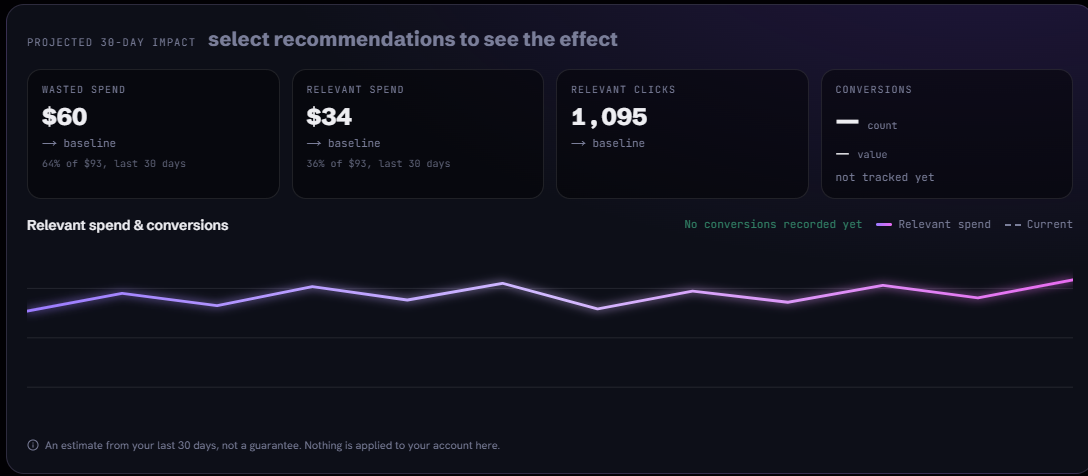
On the Connected plan, the Optimize page reads your live account data and presents the next changes to make, ordered and in plain language. It suggests, and you choose. Nothing is changed in your account automatically, and every metric it displays comes from your own account, not from an industry benchmark.
Frequently asked questions
Does Eligible mean my Google Ads are running?
Why does Google say my ads are showing when I have zero impressions?
Will my ads run if my billing info is missing?
How long before a new campaign gets its first impressions?
What happens every time my ad is eligible to show?
Can upgrading my campaign tool make my ads serve?
My campaign shows Eligible (limited). Is that the same problem?
Citations (11)showhide
- 1Eligible: DefinitionGoogle Ads Help
- 2Eligible (limited): DefinitionGoogle Ads Help
- 3How to fix a Google Ads Search campaign not running or with low trafficGoogle Ads Help
- 4Why you may not see your adGoogle Ads Help
- 5Troubleshoot billing setup statusGoogle Ads Help
- 6Campaign status: DefinitionGoogle Ads Help
- 7How the Google Ads auction worksGoogle Ads Help
- 8Ad Rank: DefinitionGoogle Ads Help
- 9Low search volume: DefinitionGoogle Ads Help
- 10Limited ad servingAdvertising Policies Help
- 11About the Ad preview and diagnosis toolGoogle Ads Help